|
||||||
Season 6 is liveNew video tools. New ways to move the camera. Let's go. |
||||||

|
||||||
|
Hey Sognians! January was a monster month. We shipped so much that we're still catching our breath. Season 6 kicked off with a 10 million SOGNI prize pool, the Supernet got a serious upgrade with Etherlink as the default layer, and we dropped a whole suite of video and image tools that change how you create. Let's break it down. |
||||||
Your New Video Superpowers 🎬 |
||||||
|
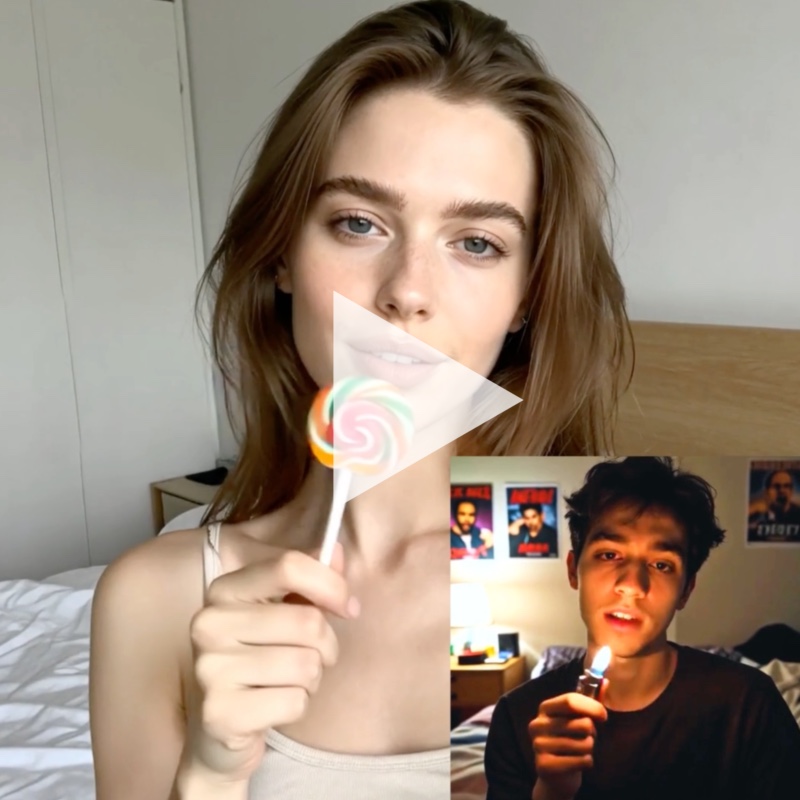
Sogni Studio is upgraded with new ways to bring your images to life. Motion Transfer: Animate-Move & Animate-ReplaceUse any video to drive motion in your creations. Two modes: Animate-Move: Apply motion from a source video to your character. Your character keeps its look while inheriting the movement. Animate-Replace: Keep the original video's motion and scene, swap out the subject for your character. The wild part? You can record directly from your Mac's webcam. Capture your own movements and transfer them to any AI character in seconds. |
||||||
|
||||||
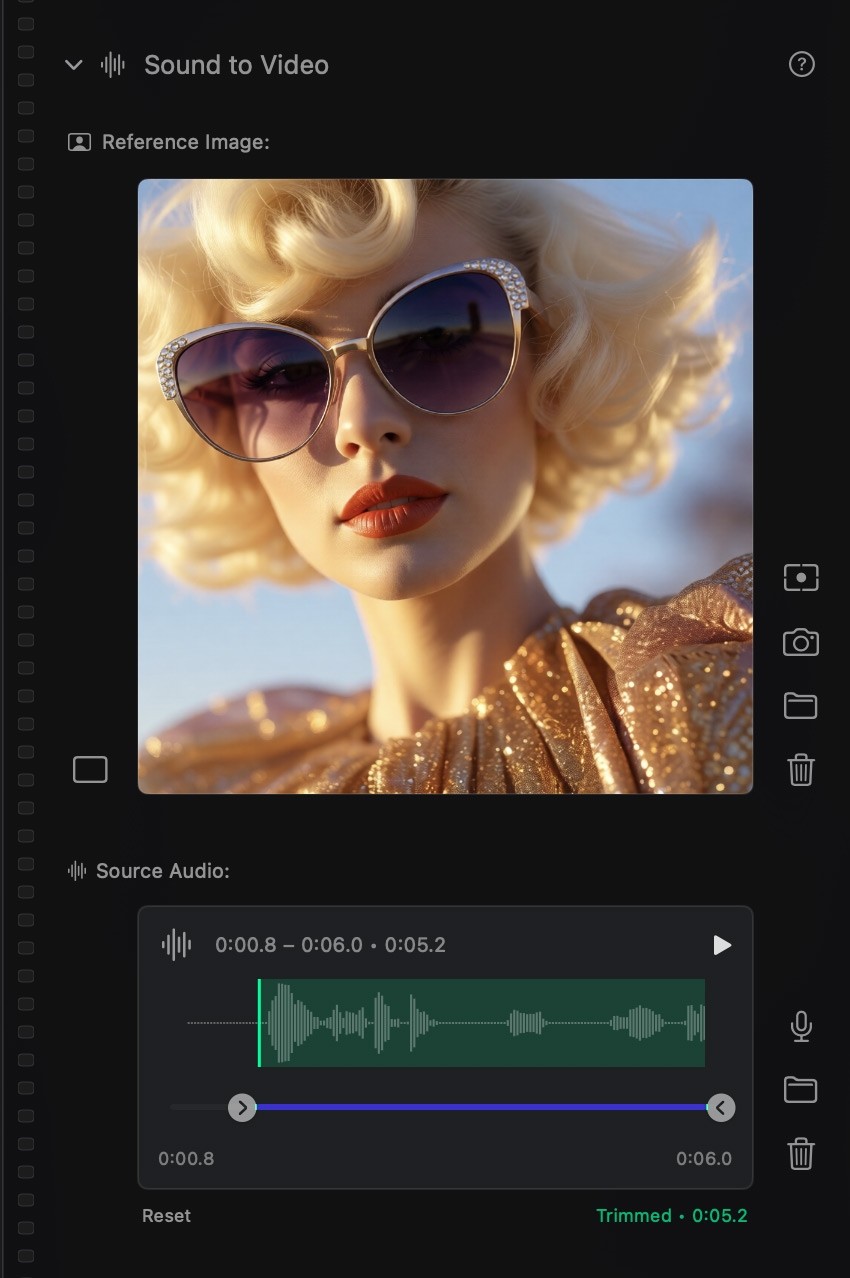
Sound to VideoDrop an audio track. Watch your image dance to it. Sound to Video analyzes your audio's rhythm and dynamics, then generates motion that matches. Works beautifully for music-driven visuals, ambient scenes, and lip-sync. Pro tip: Use the mic button to record live audio directly in the app. |
||||||
|
||||||
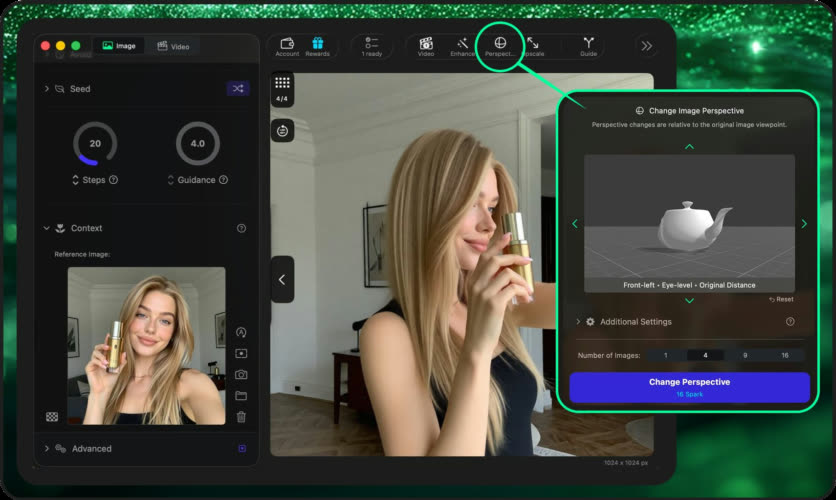
Change PerspectiveRe-render your image from any camera angle while keeping the subject and style consistent. Choose your distance (closer or wider), orientation (front, left, right, back, diagonals), and elevation (low to high). Same subject, new viewpoint. Available in Sogni Studio Pro and now in Sogni Pocket too. |
||||||
|
||||||
Clip Mixer Gets Pro Features ✂️ |
||||||
|
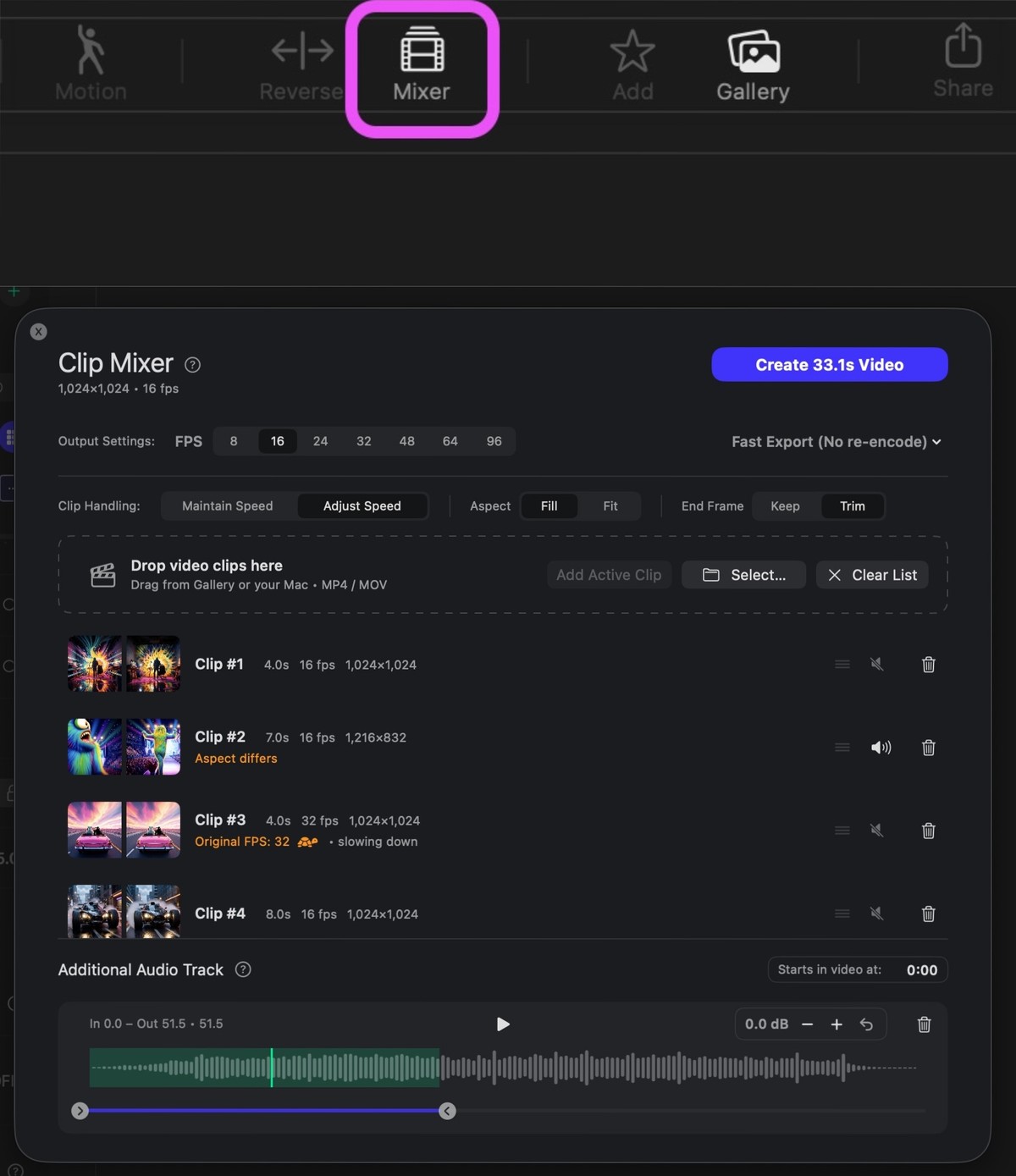
The Clip Mixer now handles professional video editing workflows:
Three Export Modes: • Fast Combine (no re-encode, instant) • High Quality (one-pass, recommended) • Share-safe (full re-encode for maximum compatibility) |
||||||
|
||||||
Multi-Angle Magic in Photobooth 📸 |
||||||
|
Mark's been cooking. The new 3D Camera Angle feature in Photobooth gives you 96 different perspectives from a single image -- adjusting distance, height, and rotation. But here's where it gets good: uncheck the single-image box to unlock multi-angle presets and video workflows. The workflow:
|
||||||

|
||||||
Sogni 360: Orbit Videos from a Single Shot 🔄 |
||||||
|
Sogni 360 takes a single image and generates an orbit video. No tripod. No gimbal. No asking a stranger to walk around you while filming. Upload a photo or take a selfie and the AI handles the camera movement. You get a smooth, looping video that shows you (or your subject) from every angle. Works for travel shots, product showcases, or any moment that deserves more than one perspective. Mark shipped a new mini-app. Stand still, get a video that moves around you. |
||||||

|
||||||
New Models: Faster, Sharper 🚀 |
||||||
|
We added new models to the Supernet:
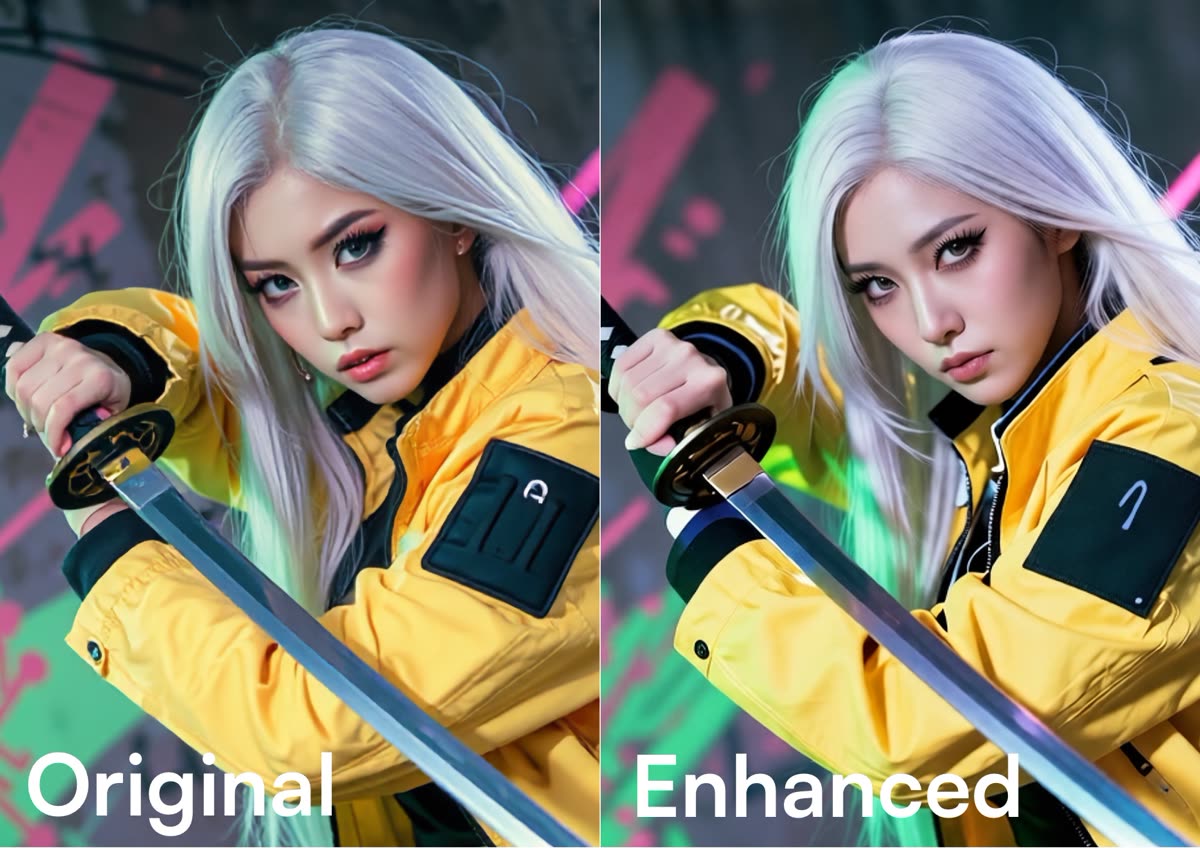
The Enhancer: 26 New Presets 🎨Stop fighting the tool. The new Enhancer filters let you refine your vision instantly: Realism: Cinematic, Flash, or Smartphone camera styles. Focus & Tone: Motion blur, film grain, cinematic color grading. Resolution: One-click restoration and Lo-Fi aesthetics. Also now available in Sogni Create. |
||||||
|
||||||
Creator Spotlight ✨ |
||||||
|
Creator of the Month: @karinaparamitha Karina has been one of the most consistent voices in the Sogni community. Week after week, she shows up with work that's thoughtful, polished, and unmistakably hers. That kind of dedication doesn't go unnoticed. ❤️ Every month, we see creators push Sogni tools in directions we didn't expect. Here are a few that caught our eye this round: |
||||||
Now Live: LTX-2 Cinematic Video 🎬 |
||||||
|
LTX-2 is live across the Sogni ecosystem: in the SDK, in Sogni Create via our Chrome web app, and in Sogni Photobooth. 4K Resolution -- Up to 2160p, 9x the pixel density of standard models. Unified Audio -- Generate synchronized dialogue, sound effects, and music in a single pass. 5x Faster -- Approximately 5x faster and 5x more cost-effective per frame than Wan 2.2. IC-LoRA Controls -- Depth, Canny, and Pose controls for precise character motion and architectural structure. For Developers: LTX-2 is available via the Sogni Client SDK for building with 4K video infrastructure. |
||||||
SDK Update 🛠️ |
||||||
|
The Sogni Client SDK (v4.0.0-alpha.52) is live with native video support for Wan 2.2 and LTX-2 models, optimized WebSocket communication for faster job processing, and stable TypeScript definitions. |
||||||
Season 6: The Breakdown 🏆 |
||||||
|
We narrowed the field and increased the payout. Here's how 10 million SOGNI breaks down: |
||||||
|
||||||
|
The math is simple: fewer winners, bigger rewards. No guesswork -- see your projected payout on the leaderboard from Day One. |
||||||

|
||||||
The Etherlink BonusStake on Etherlink to unlock an additional $24,000 prize pool. We're using Etherlink as our default layer now for faster transactions and lower fees. |
||||||
Milestones 📈 |
||||||
|
||||||
Your Next Steps |
||||||
Keep creating. Keep amplifying what makes you human. Team Sogni |
||||||
| Missed a newsletter? All past editions here! | ||||||







|
||||||
| Unsubscribe | ||||||
|
WE&ROBOT PTE. LTD. · Singapore |
||||||